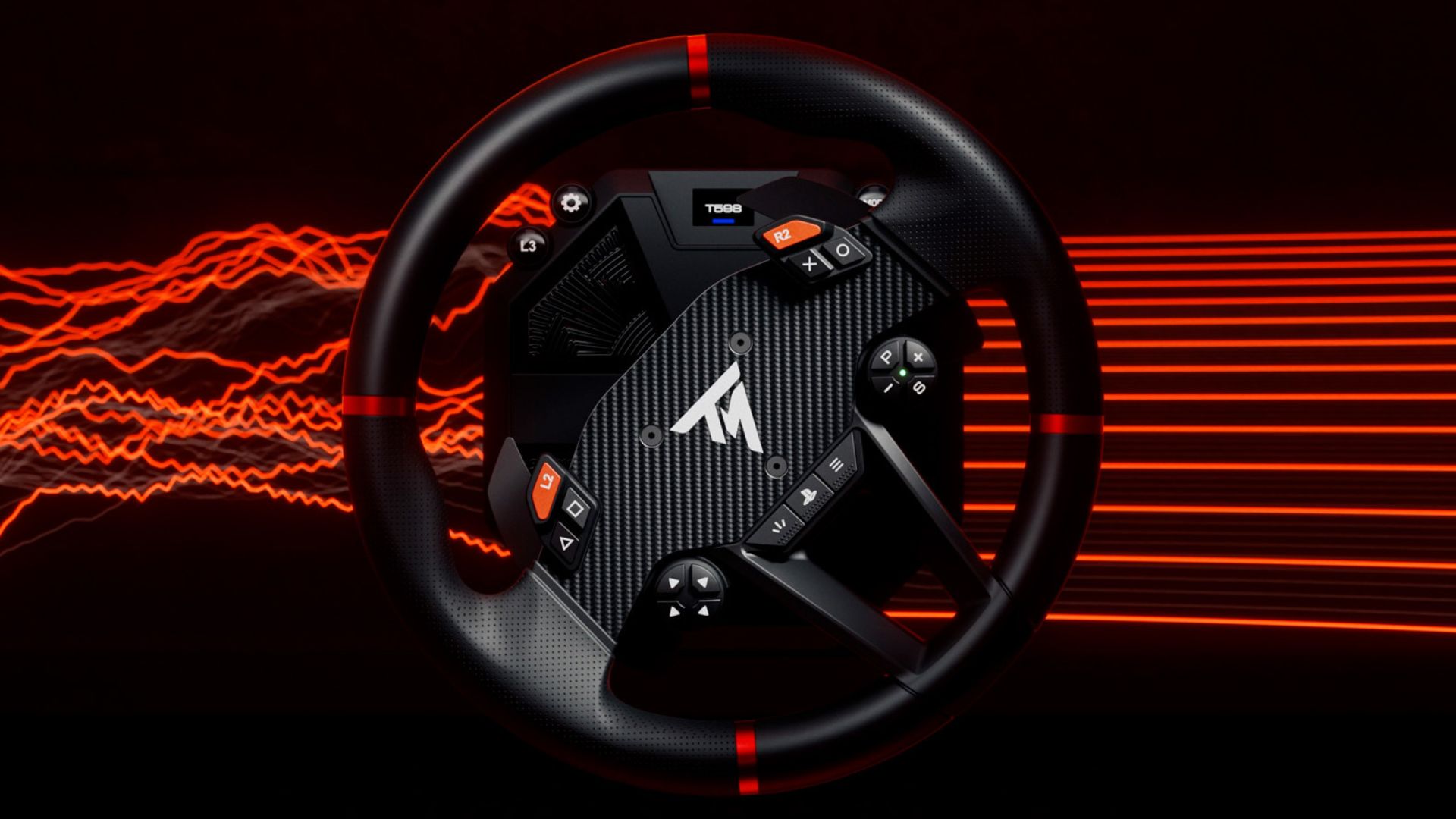
How to Update the Firmware on Your Thrustmaster T598 Racing Wheel
Why Should You Update Your Thrustmaster T598 Firmware?
Whether you race on PlayStation, Xbox, or PC, keeping your T598 up to date is essential to getting the most out of your sim racing experience. Firmware updates bring the latest force feedback improvements, enhanced compatibility with games and peripherals, and even exclusive new effects such as GEAR JOLT and ENGINE ROAR, along with the latest bug fixes.
With My Thrustmaster Panel, available for free from the Microsoft Store, updating your T598 firmware is quick and easy. This step-by-step guide will walk you through downloading the software, installing any required drivers, and updating your wheel base to the latest available firmware. You’ll also learn how to uninstall the software if needed.
Before you get started, you’ll need a PC running Windows 10 or Windows 11, an internet connection to download the software, and your T598 wheel base connected to your computer and powered on.
Follow the steps below to update your firmware and get your racing setup ready for your next session on the track.
Tutorial: How to Update Your T598 Firmware
1 — Download the My Thrustmaster Panel app for free from the Microsoft Store using this link: https://apps.microsoft.com/detail/9n1bwncrqz3h
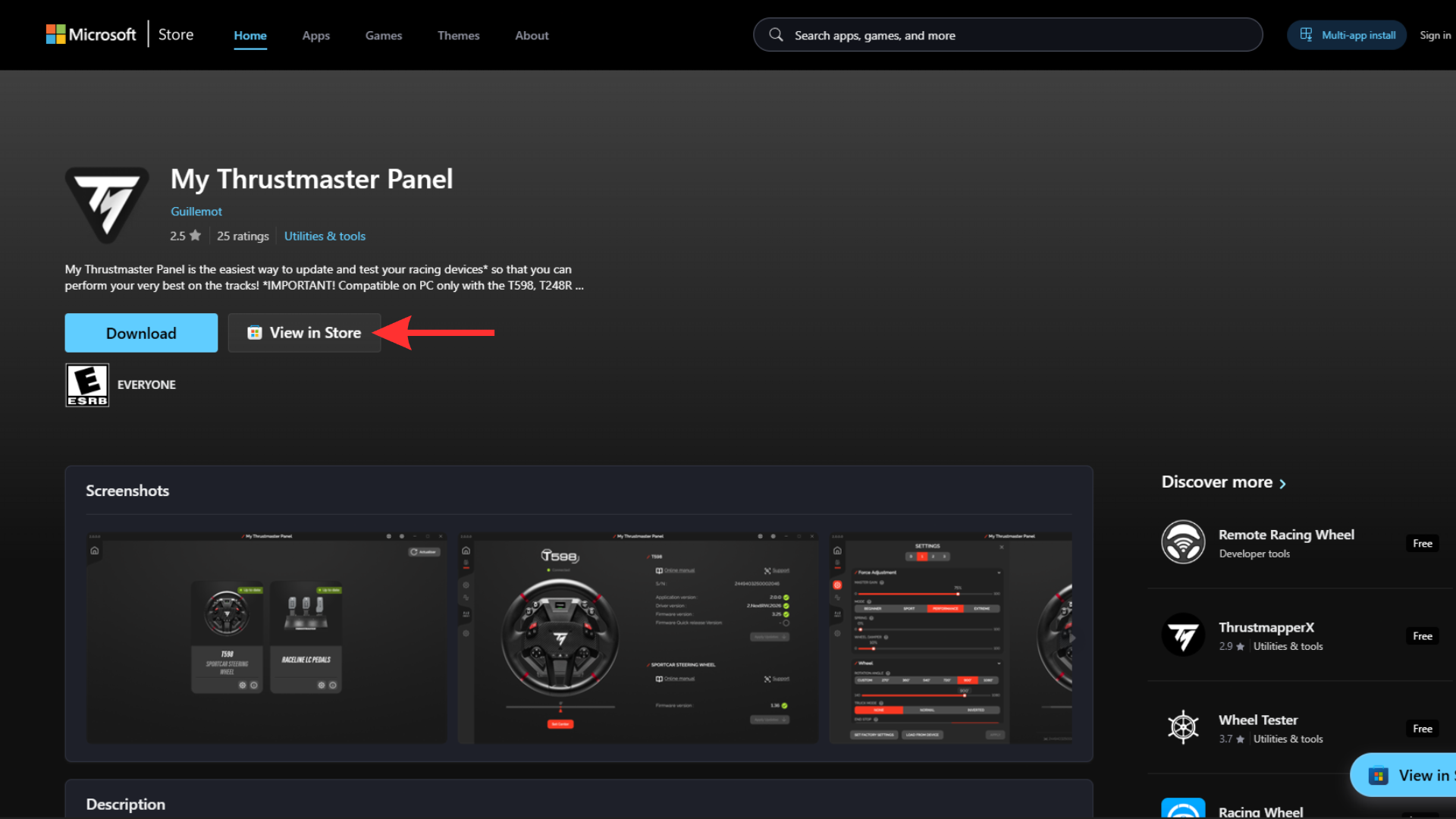
2 — Once on this page, click the “View in store” button.
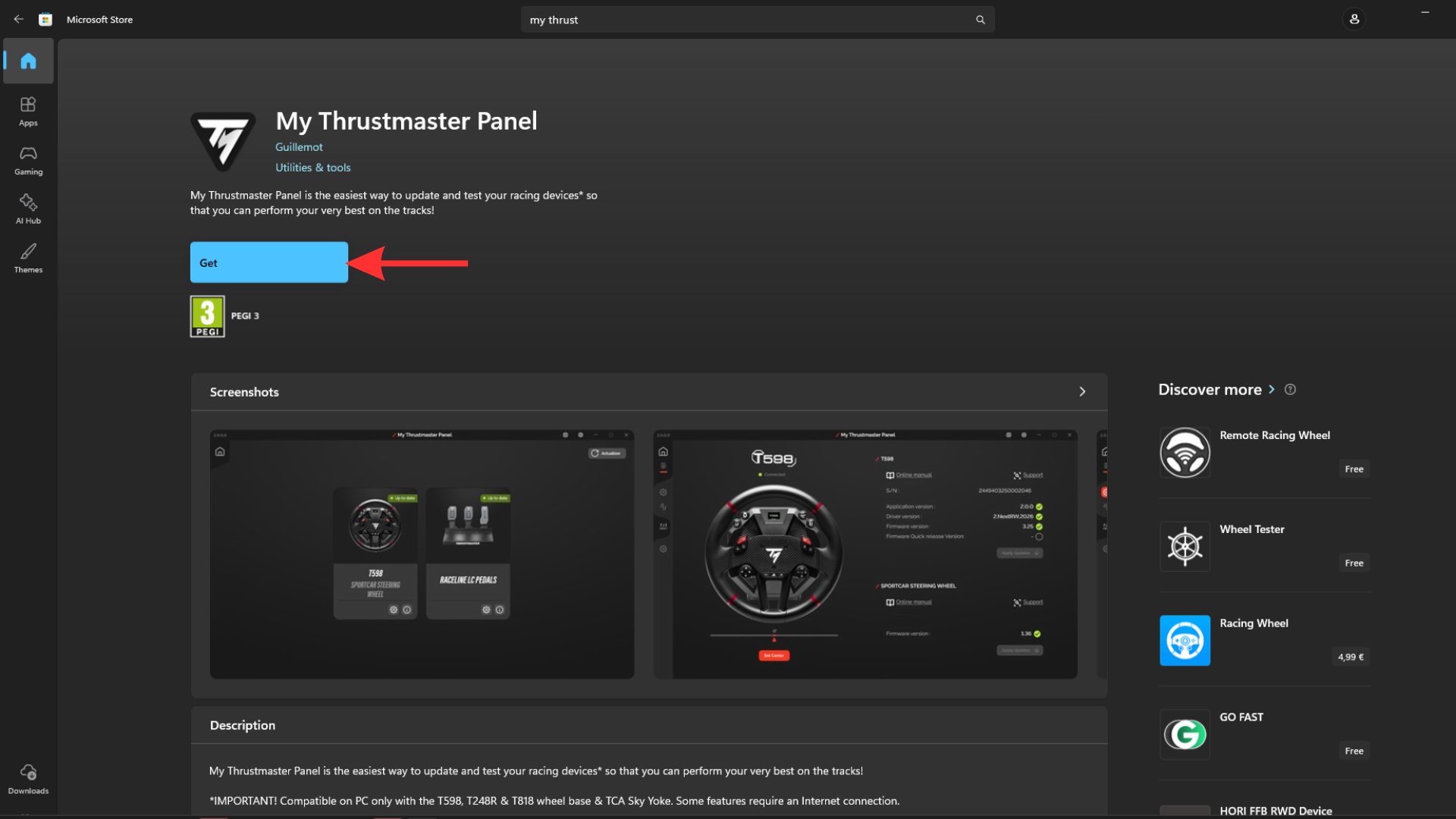
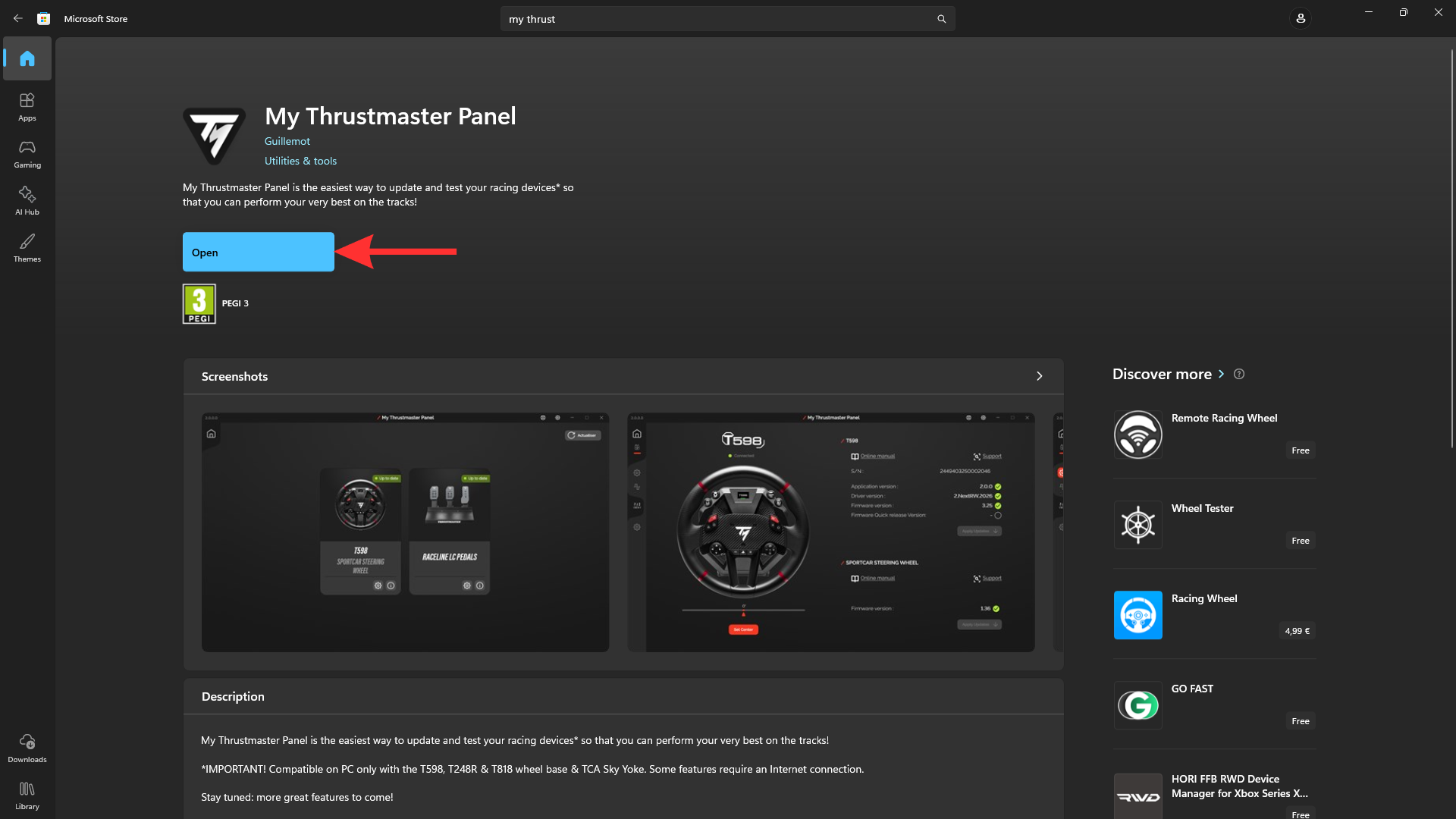
3 — On the Microsoft Store page, click “Get”, wait for the download to complete, then click “Open”.
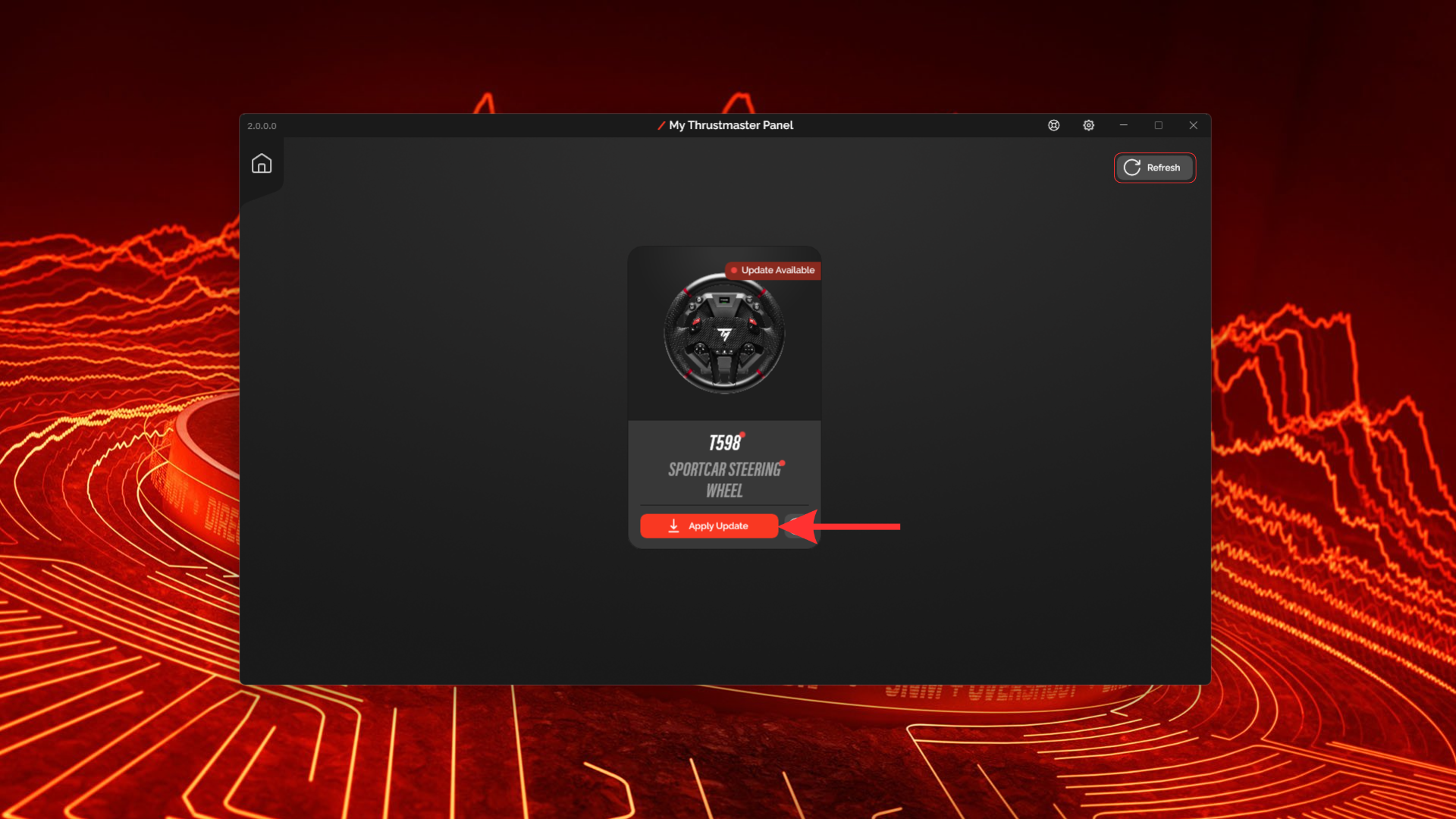
4 — My Thrustmaster Panel will open. Make sure your T598 is connected to your computer and powered on, then click “Apply update”. If your wheel base doesn’t appear in the software, click “Refresh” in the top-right corner of the screen.
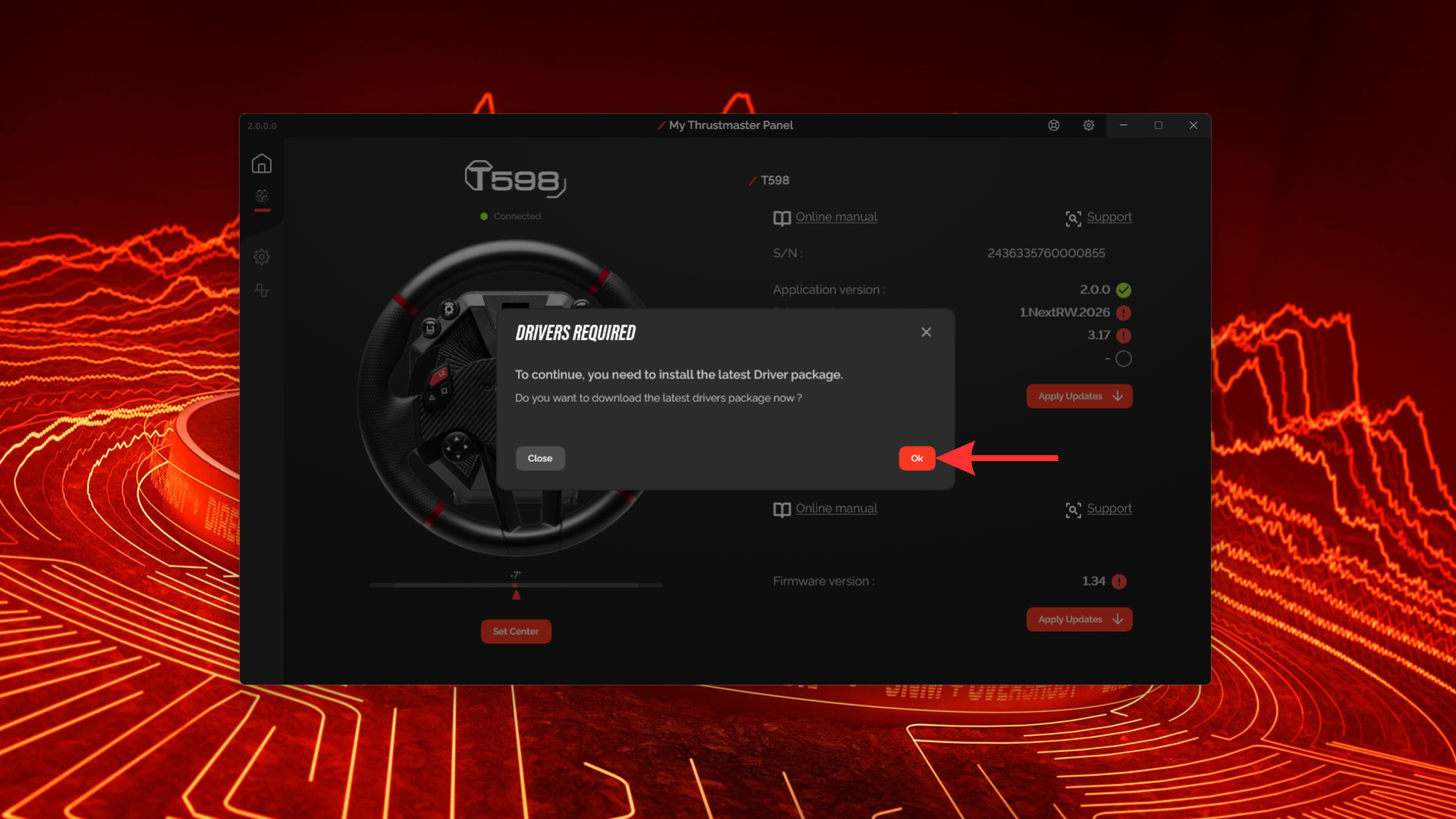
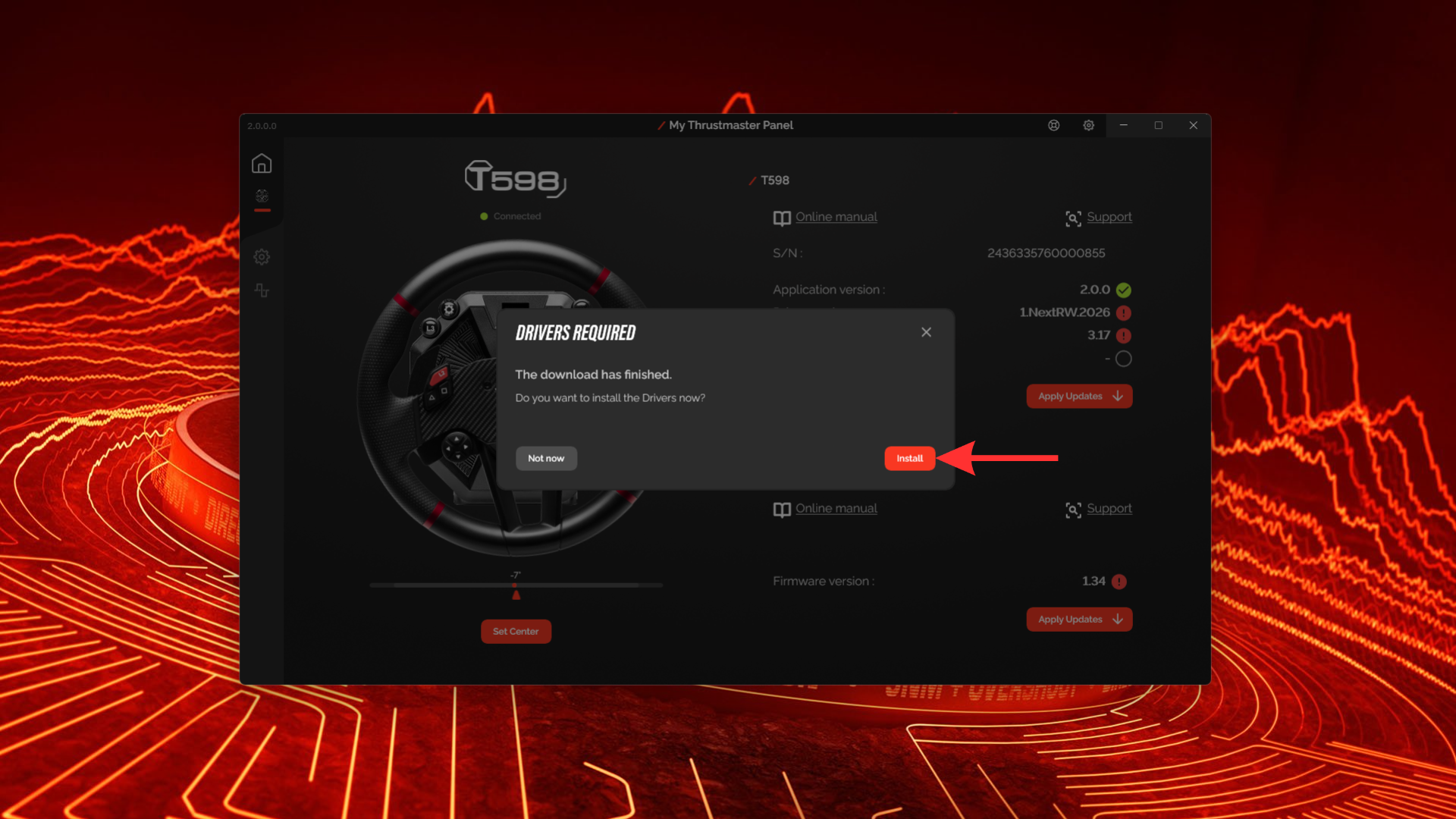
5 — You may need to update the wheel driver package. Click “OK”, then “Install”. If this message doesn’t appear, go directly to step 10.
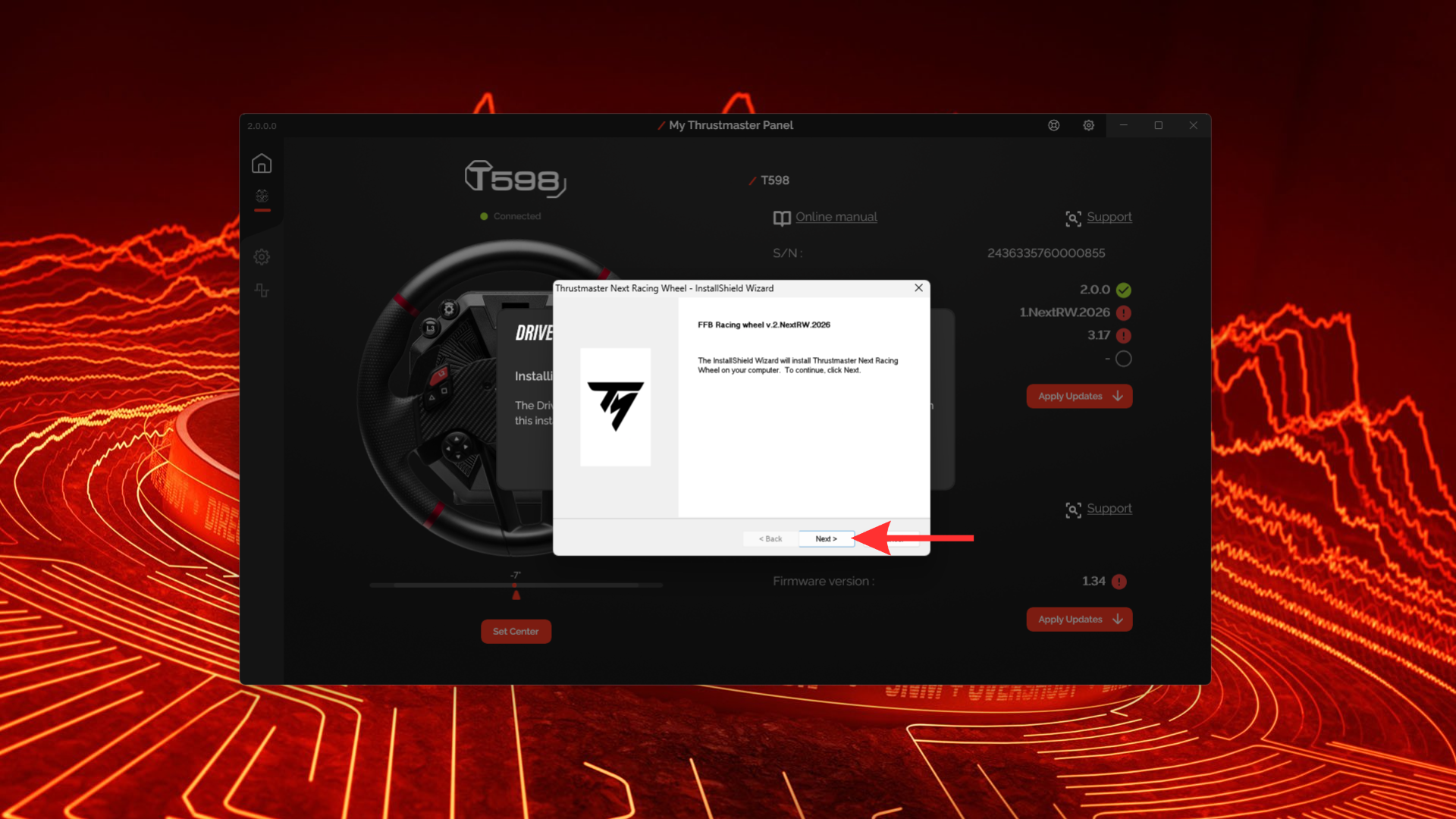
6 — Click “Next”.
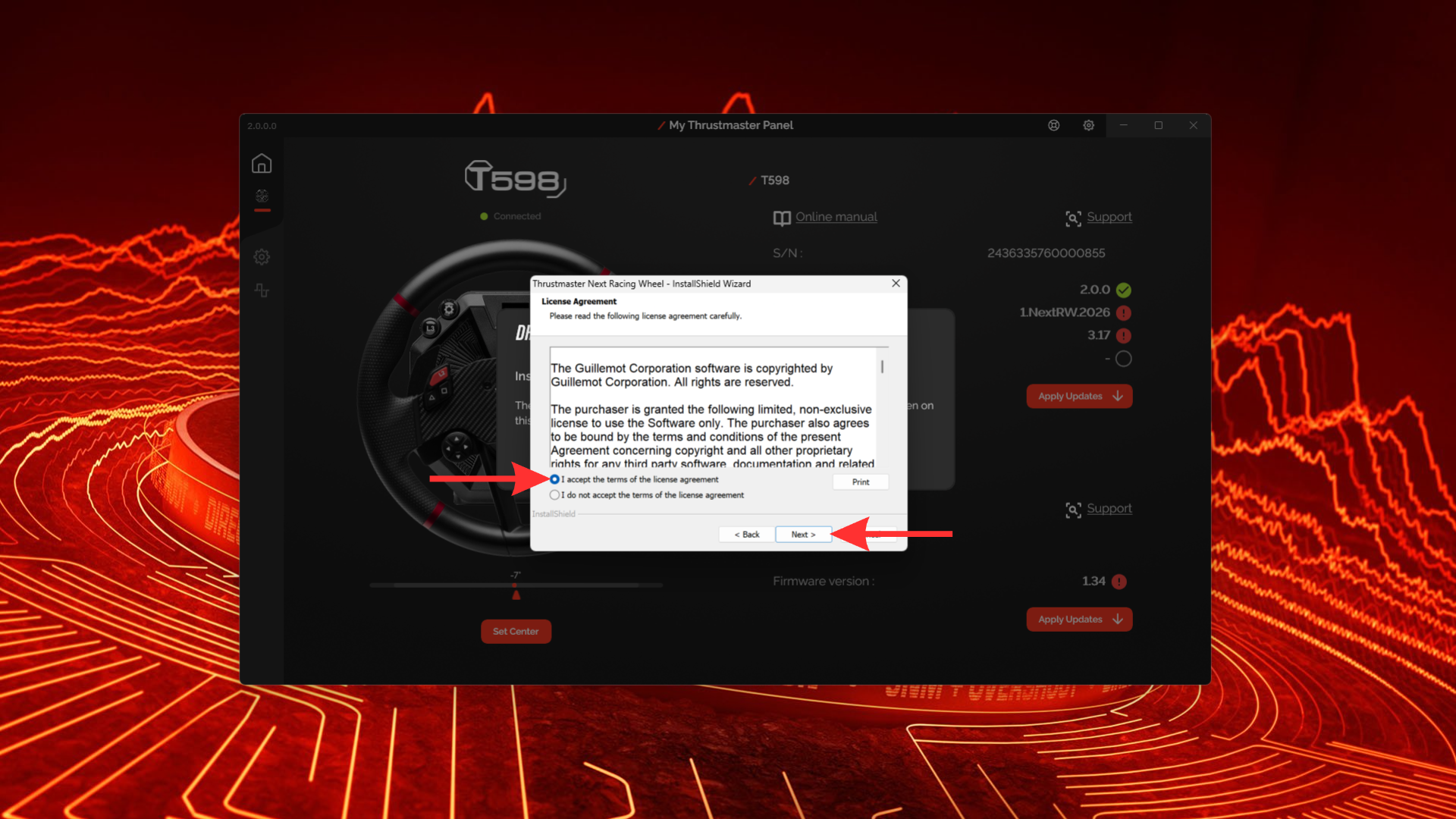
7 — Accept the license agreement, then click “Next”.
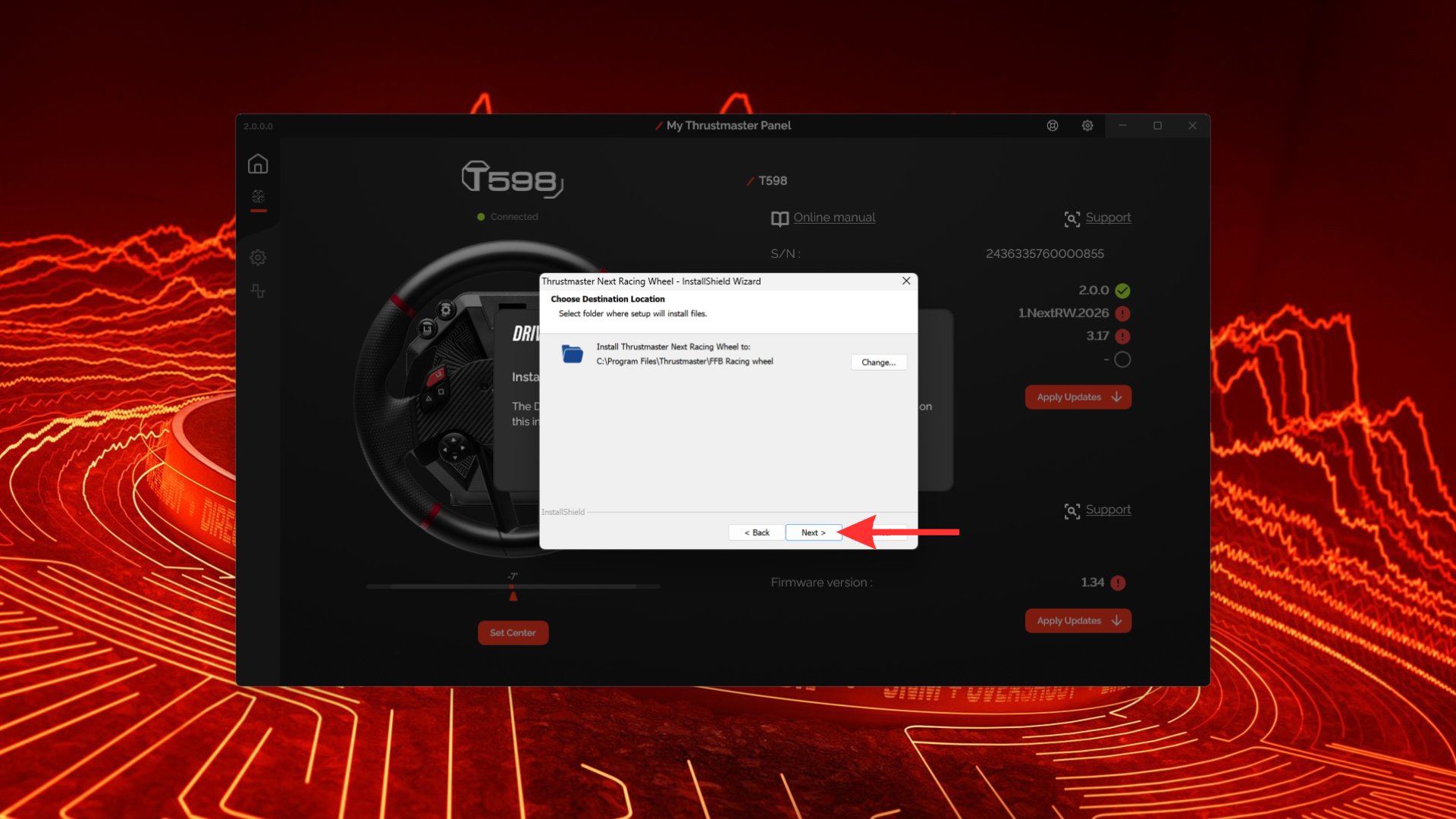
8 — Change the installation directory if you wish, then click “Next”.
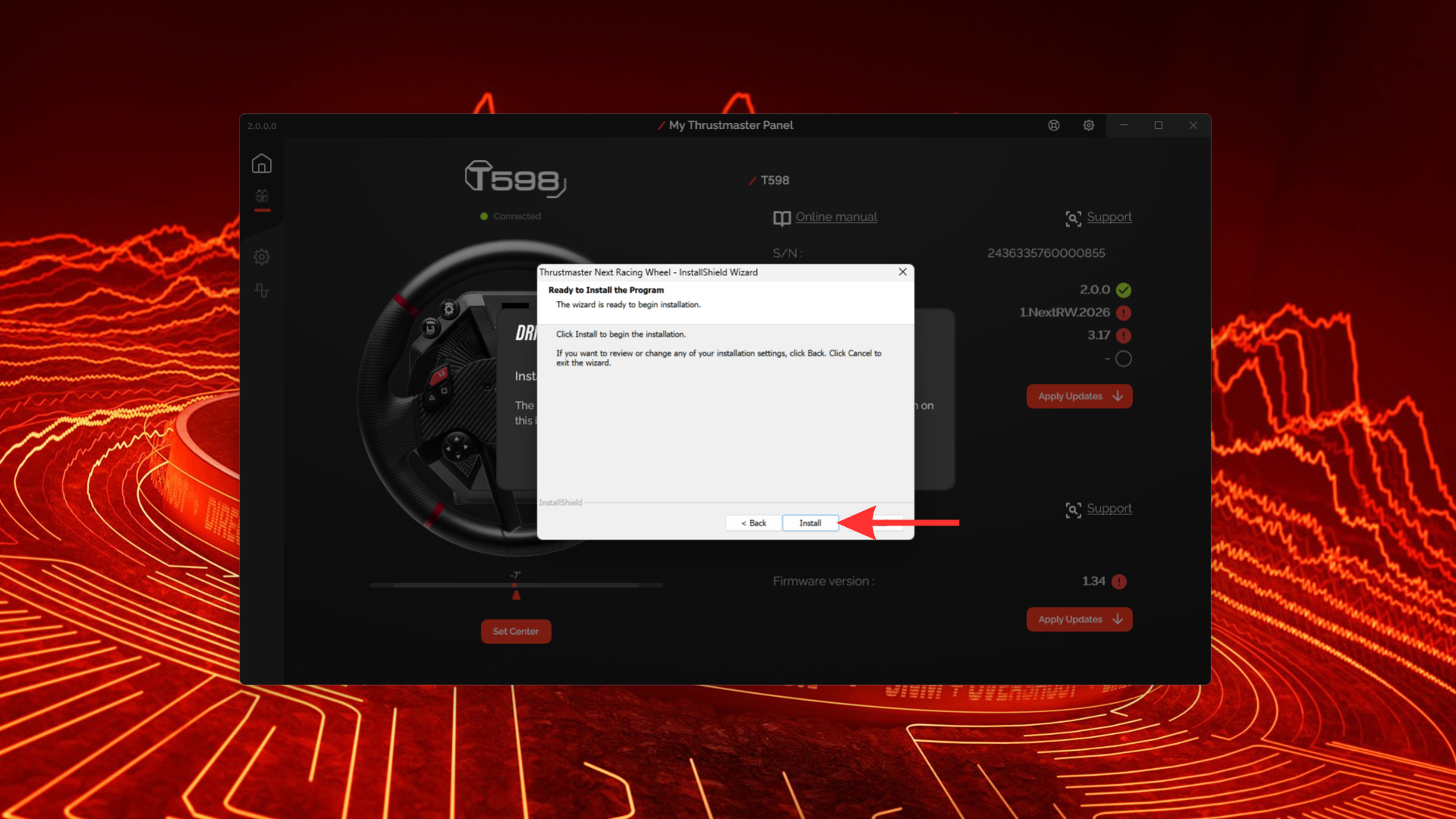
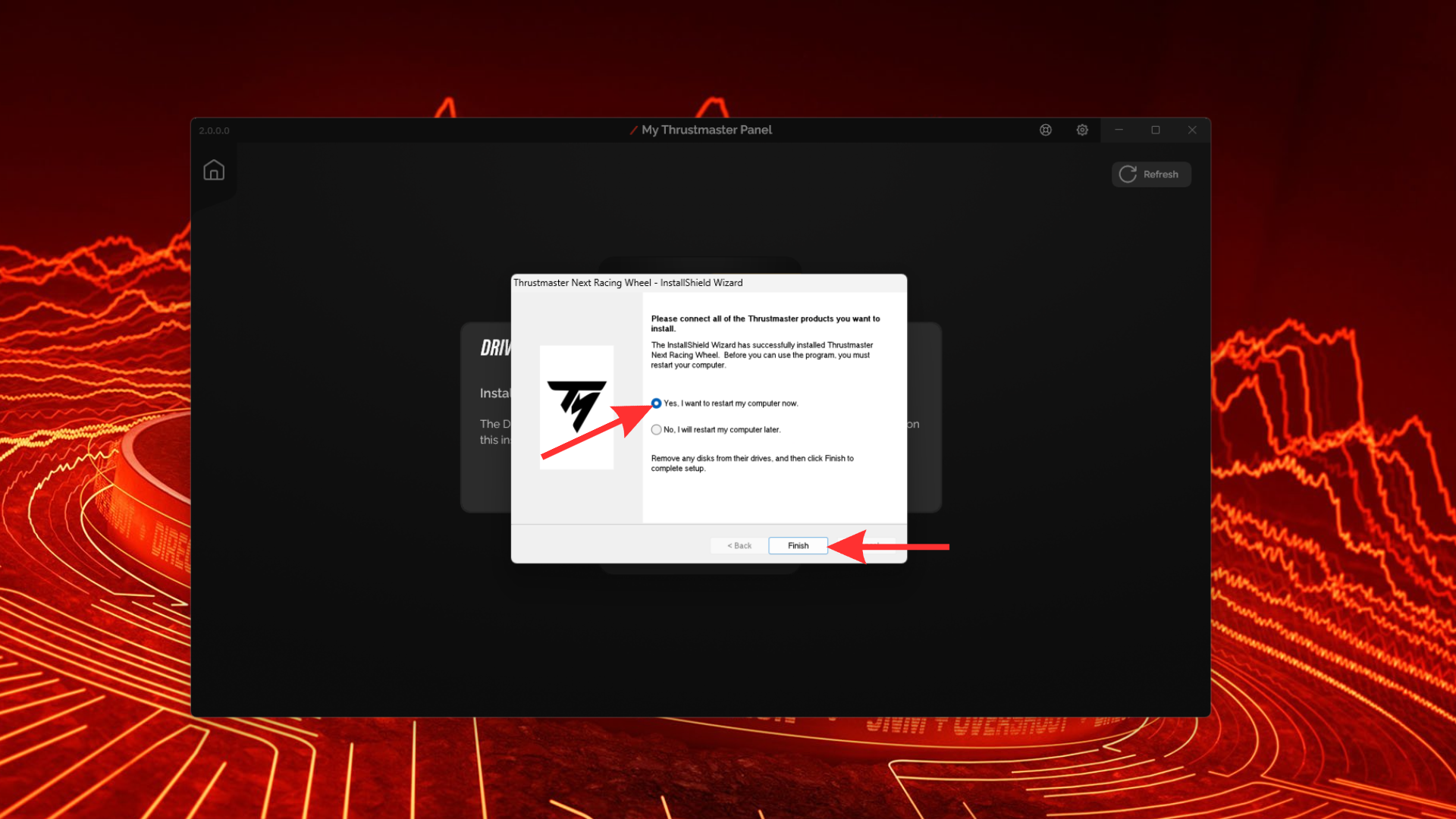
9 — Click “Install” and wait for the installation to complete. You may need to restart your computer once the installation is finished. Click “Finish”.
10 — Click “Apply Updates”.
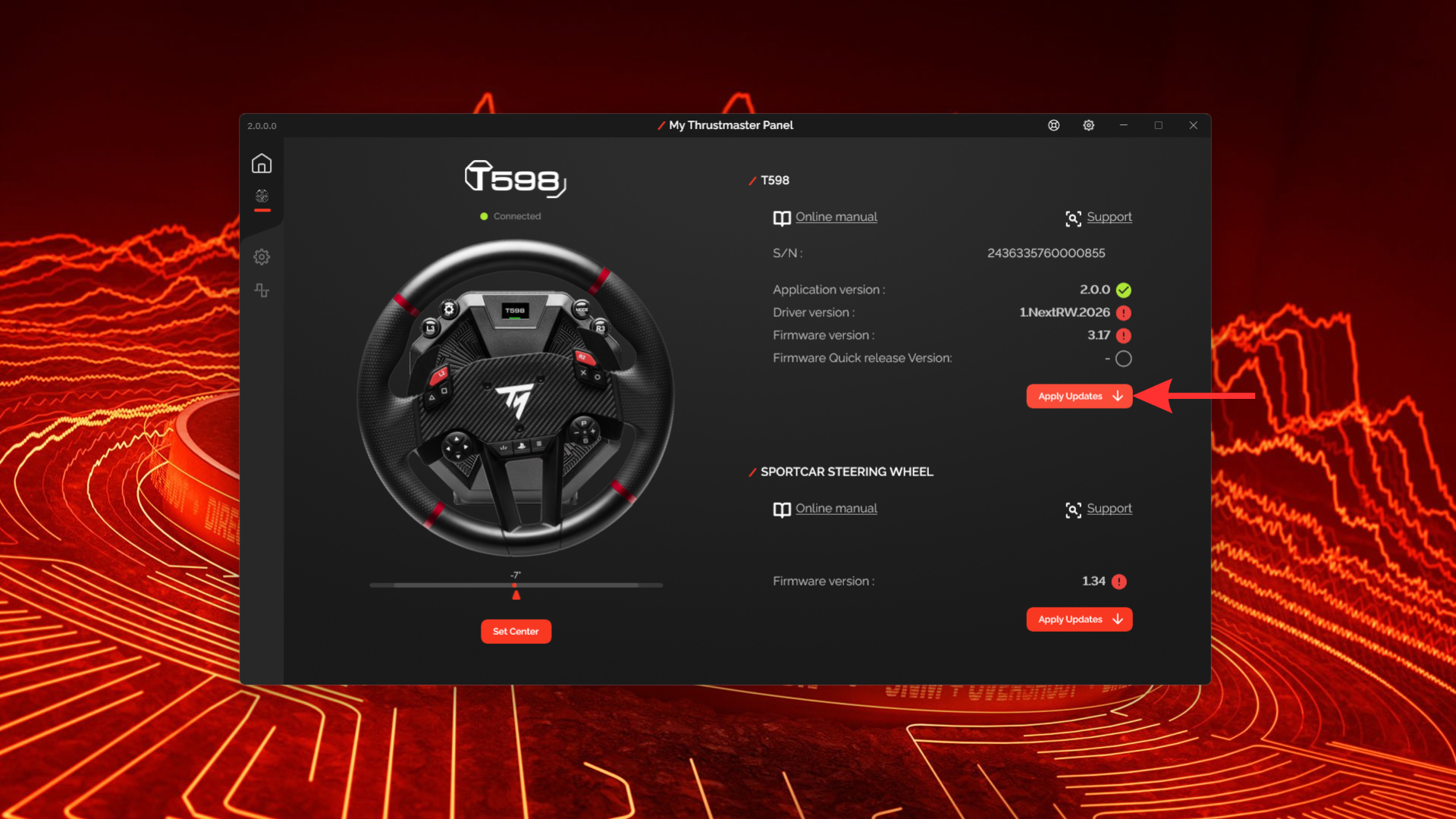
11 — Follow the on-screen instructions to complete the update process.
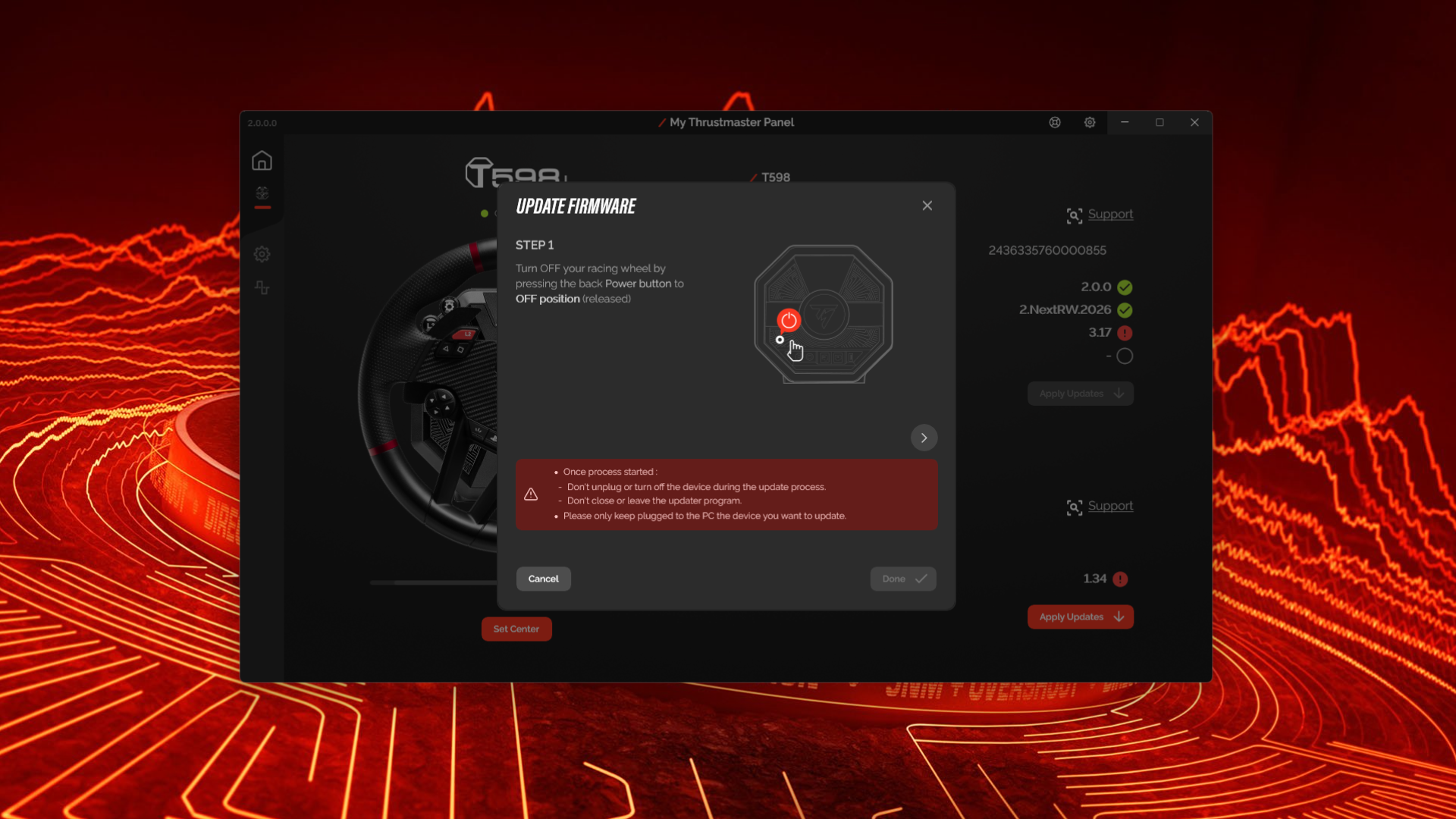
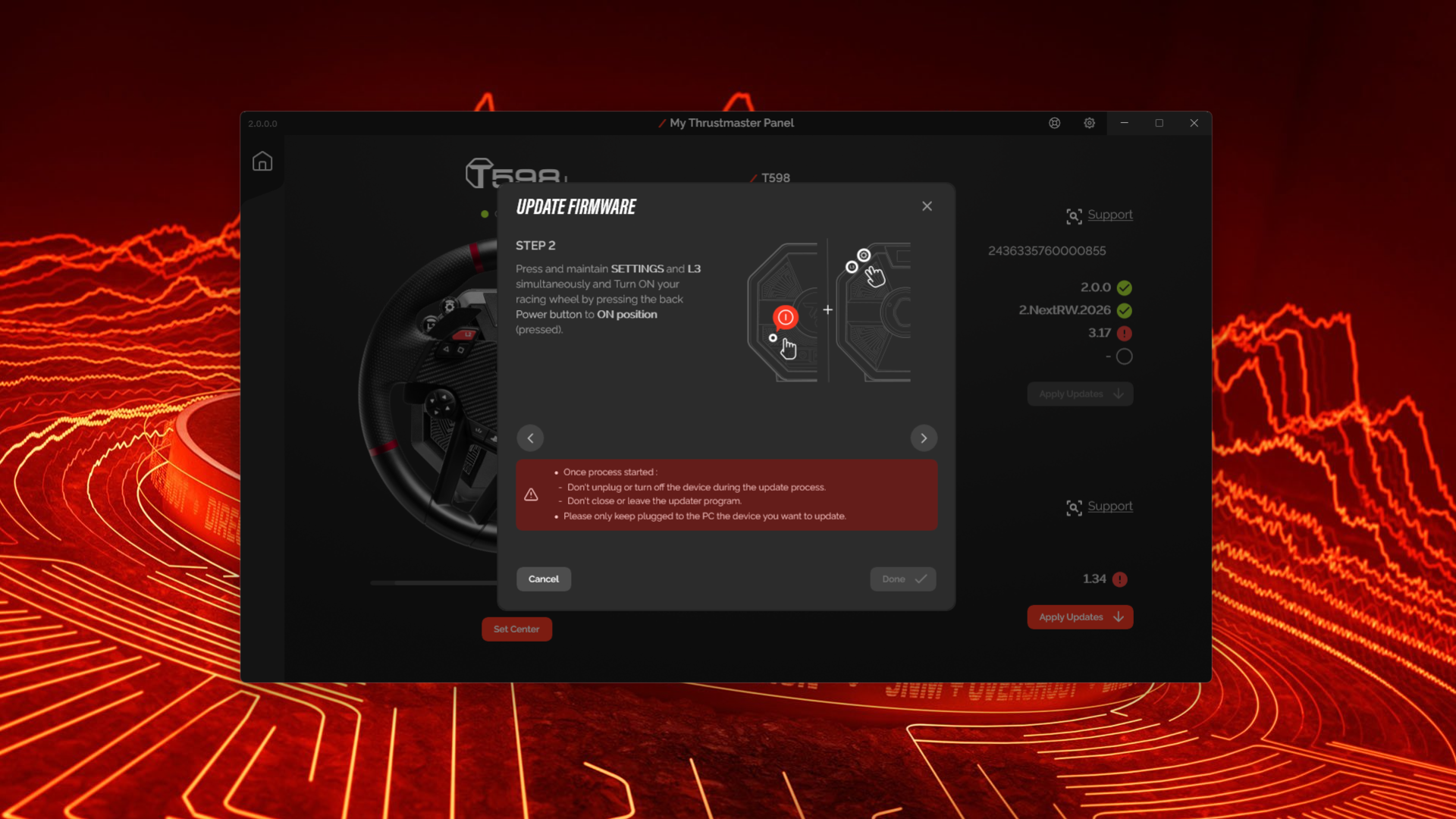
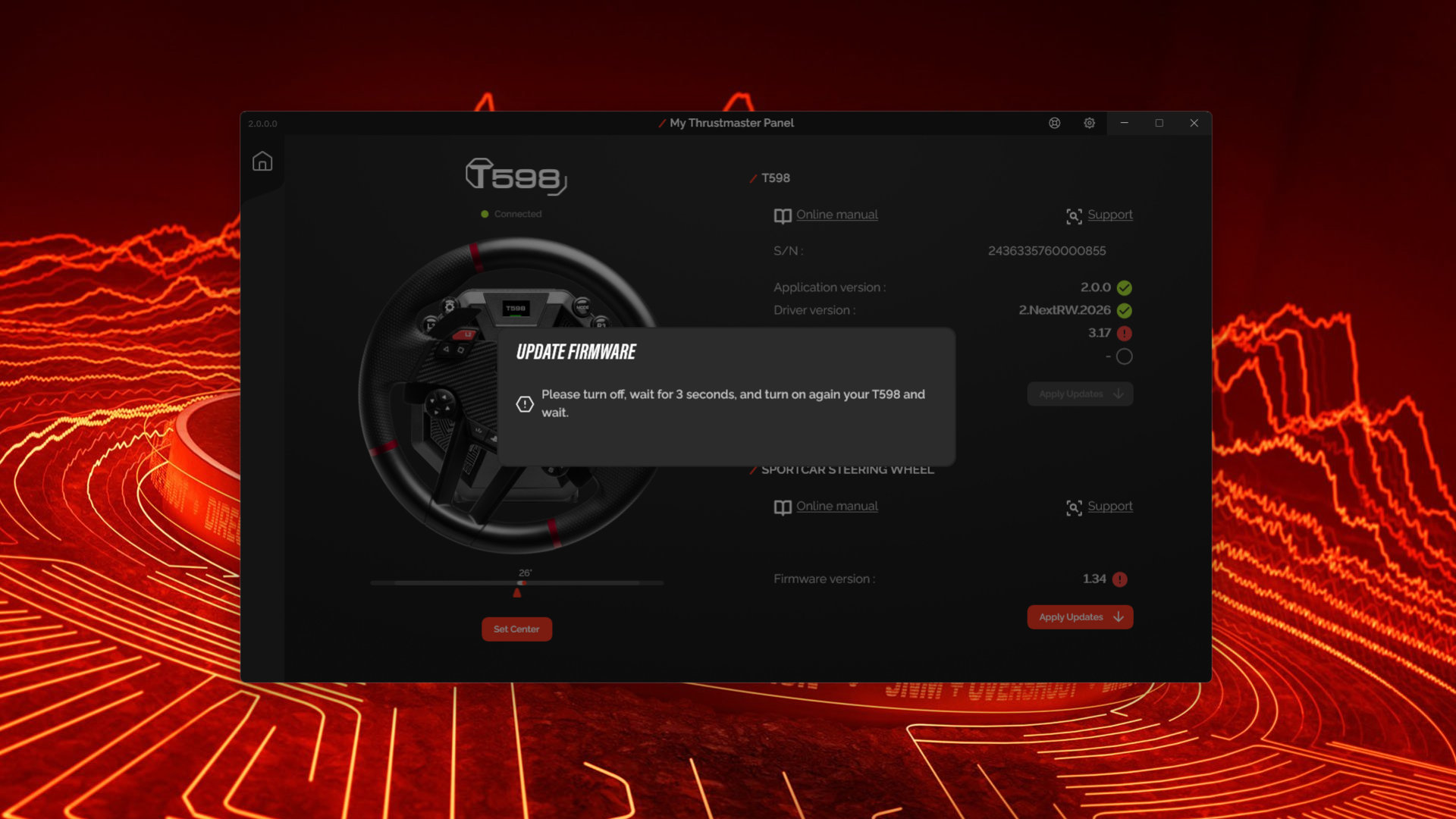
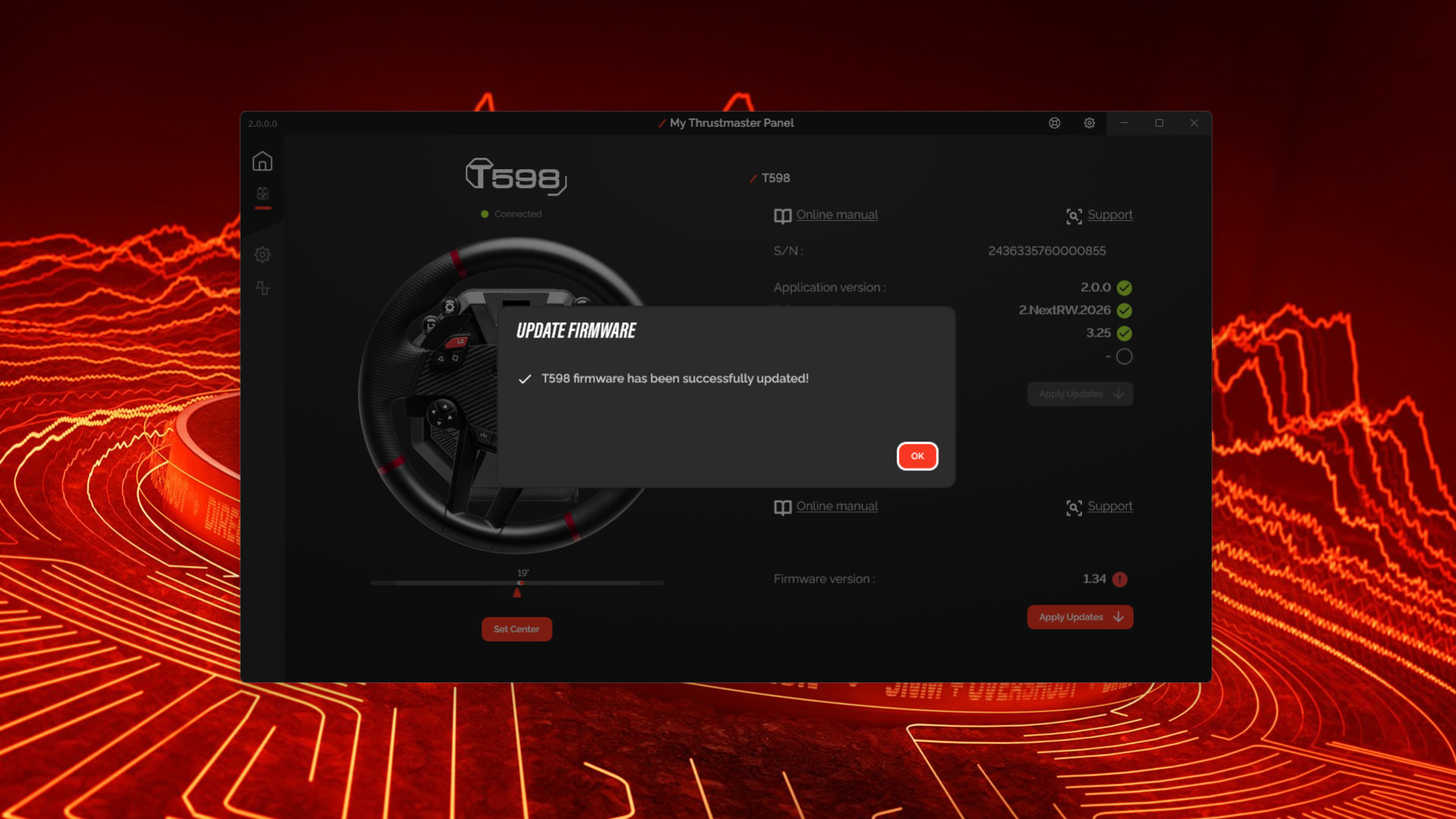
12 — You’re all set! Your T598 is ready to hit the track with the latest available improvements. We recommend checking for updates regularly to keep your wheel base up to date.
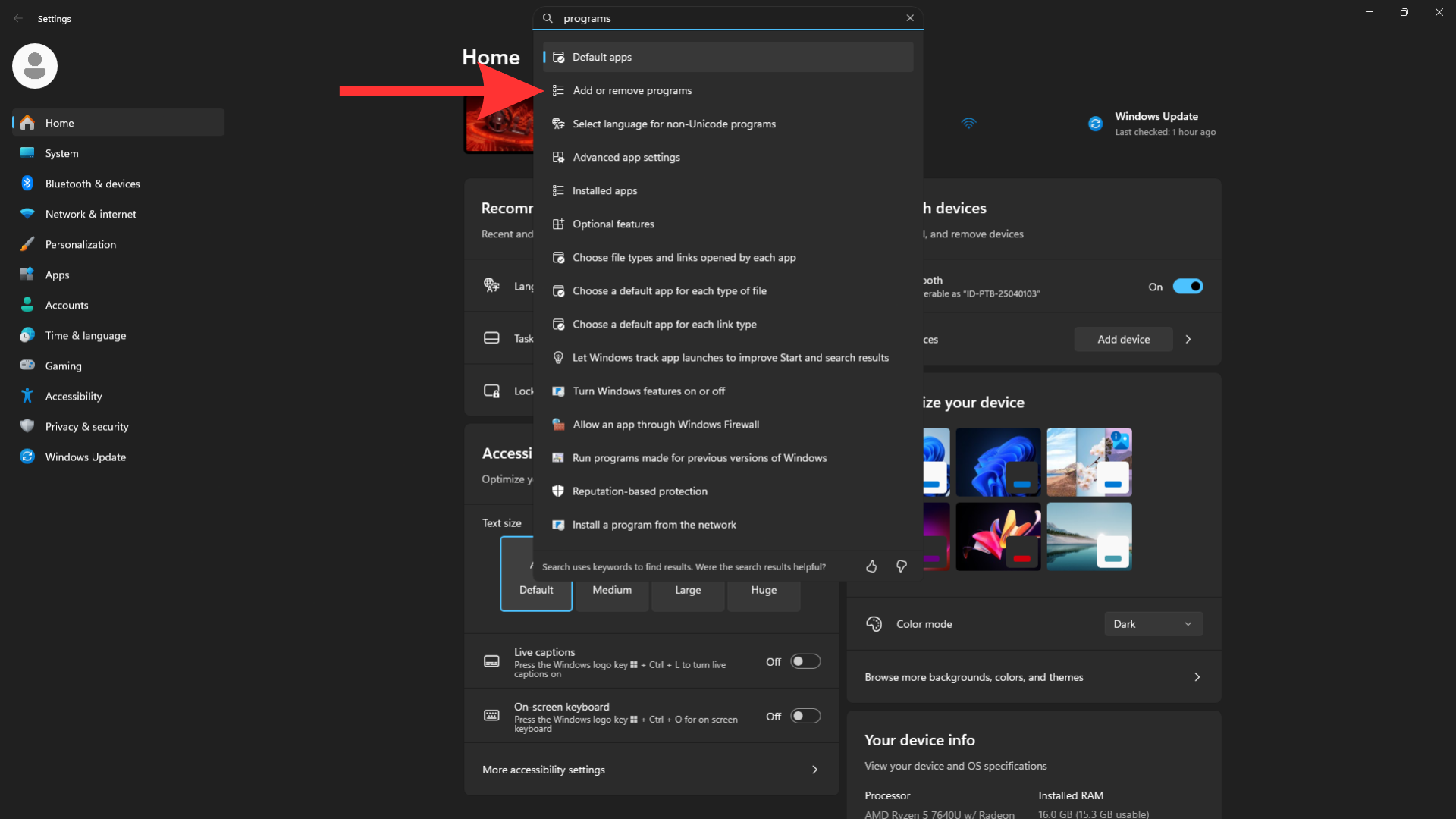
13 — If you want to uninstall the software, open Windows Settings and type “programs” in the search bar. Then click “Add or remove programs”.
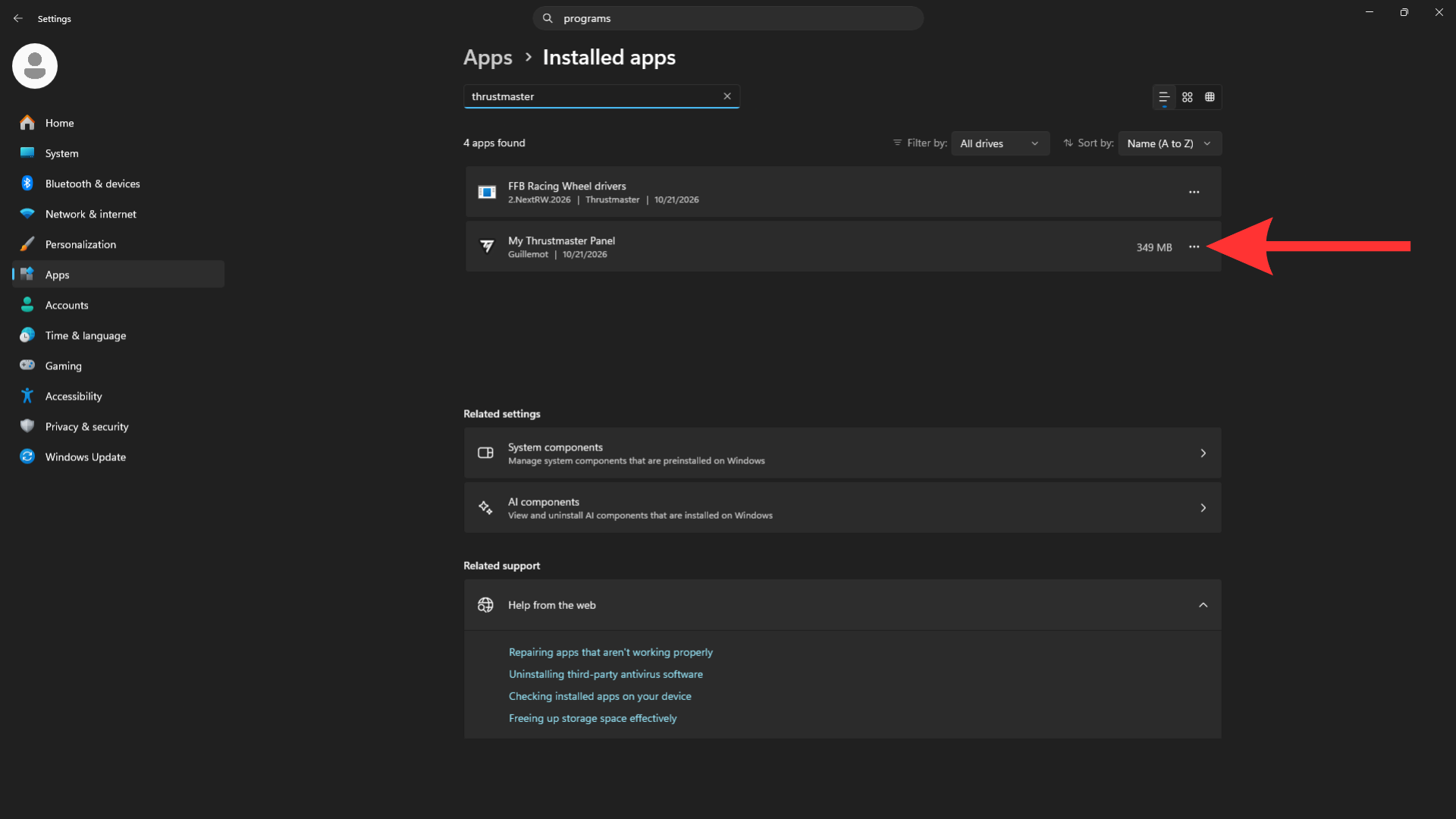
14 — Type “Thrustmaster” in the search bar, then click the three dots next to “My Thrustmaster Panel”.
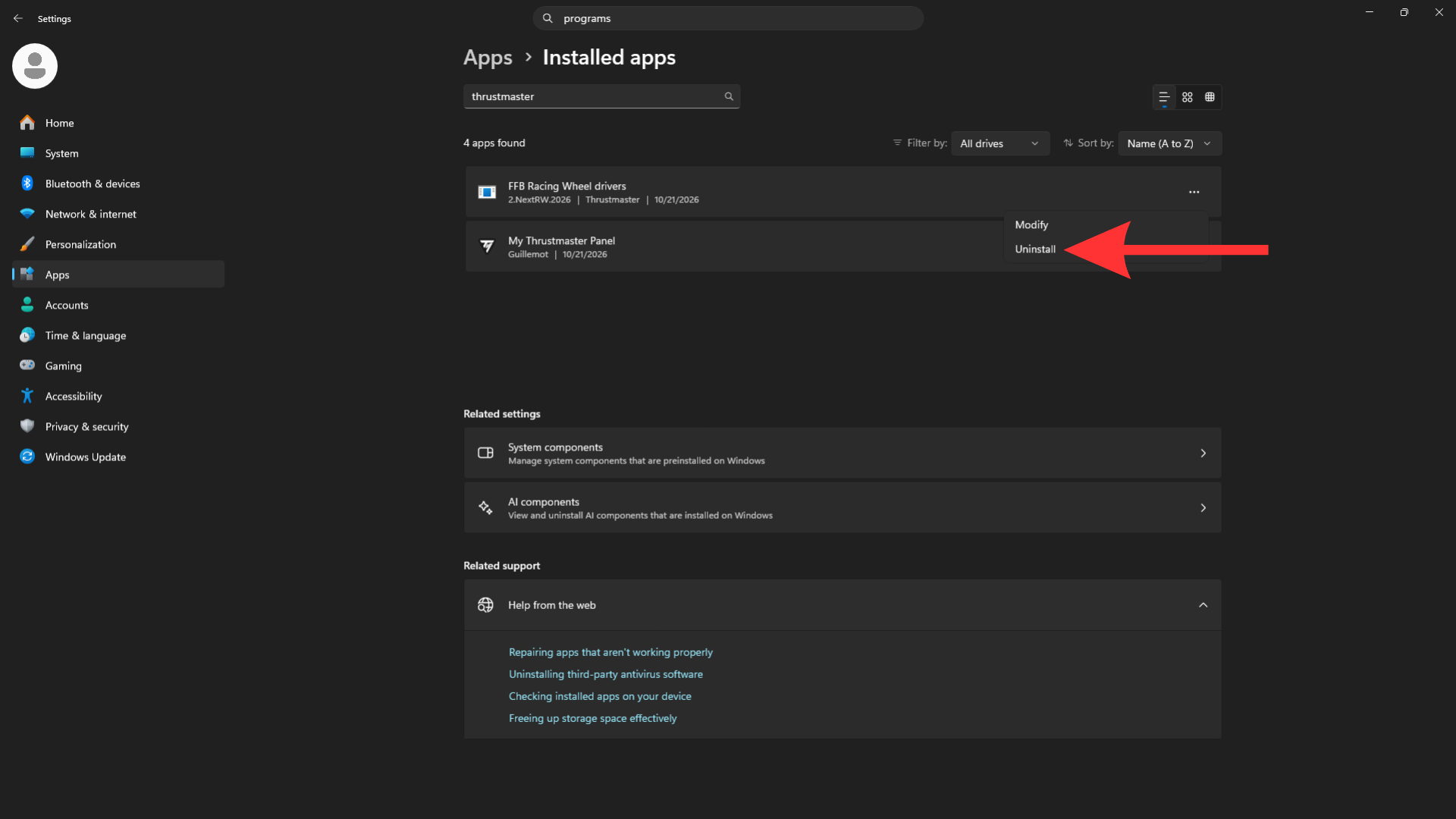
15 — Click “Uninstall”.
Keep Your Thrustmaster T598 Race-Ready
Regularly updating your Thrustmaster T598 firmware is a simple but essential part of keeping your racing setup in top shape. It helps you benefit from the latest available improvements, compatibility updates, and bug fixes from Thrustmaster.
With My Thrustmaster Panel, you can check for and install available updates directly from your Windows PC in just a few steps. Just like maintaining a real race car, keeping your gear up to date is part of getting the best out of every sim racing session.
Ready to hit the grid? Make sure your T598 is running the latest available firmware before climbing into the cockpit and getting back on track.