
Yoke vs Joystick: Which Controller Should You Choose for Flight Simulation?
Whatever your level of experience with flight simulation, one question is bound to come up sooner or later: should you fly your aircraft with a yoke or a joystick? While both allow you to control an aircraft in the air, they offer very different flying sensations and approaches to piloting. To help you build the cockpit of your dreams, our experts are here to help you make the right choice.
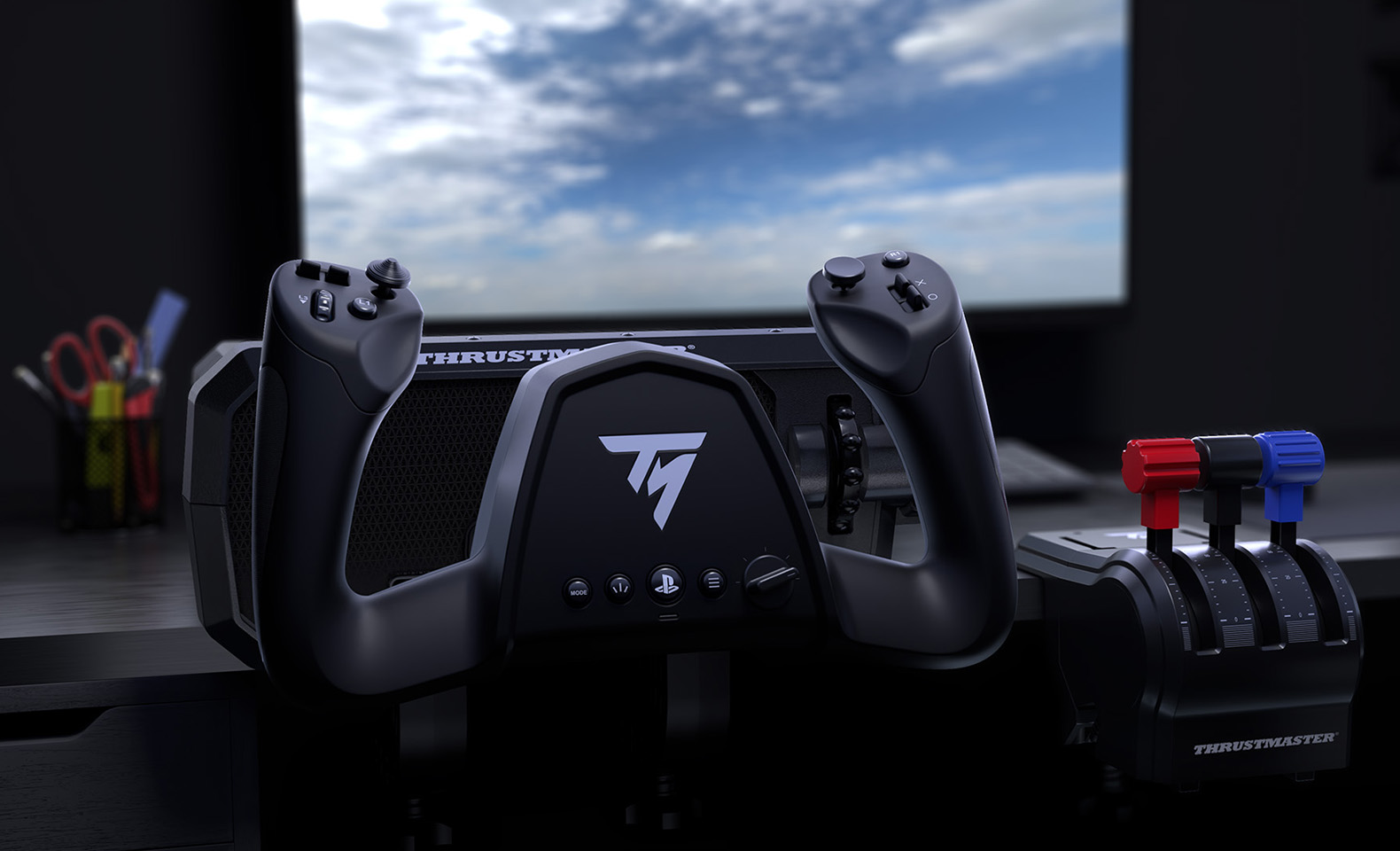
The Yoke: A Must-Have for Civil Aviation Enthusiasts
A yoke can be operated with one or both hands and features two axes of movement: turning it left or right controls the roll (tilting the wings), while pushing or pulling it controls the pitch (climbing or descending).
To recreate these sensations in your flight simulator, the TCA Sky Yoke offers an all-in-one solution specifically designed for civil aviation. With its integrated controls and realistic movements, it brings you closer to the feel of flying a real aircraft, from takeoff all the way to landing.
Which Types of Aircraft Is It Designed For?
The yoke is the ideal controller if you’re looking for an immersive and realistic flight simulation experience. It replicates the type of flight controls found in the cockpits of many civil aircraft, including:
- General aviation and light aircraft: Cessna 172, Beechcraft Baron…
- Airliners: Boeing 737, 747, 777…
- Business jets: certain Falcon, Bombardier and other private jet models equipped with yoke-style controls.
The TCA Sky Yoke is perfectly suited to these different flight simulation environments, from small single-engine aircraft to airliners and business jets.
The Key Advantages of a Yoke
- Integrated trim control: Thanks to its progressive trim wheel, the TCA Sky Yoke allows you to fine-tune your aircraft’s pitch trim and maintain stable flight without having to constantly hold the yoke in position. A real advantage during cruise flight and approaches alike.
- Integrated throttle controls: Power controls are built directly into the device, giving you a compact setup without the need for additional equipment.
- Integrated rudder controls: The TCA SKY YOKE features an integrated rudder control system with two triggers, allowing you to control the aircraft’s yaw for improved handling. You can also add the TFRP rudder pedals for an even more realistic experience.
- Immersive, realistic movements: With 9 cm of pitch travel and up to 180° of rotation, the yoke recreates the characteristic movements of real-world yoke flying.
- Integrated controls: Featuring 24 action buttons, a mini-stick, a multidirectional hat switch and analog triggers, the TCA Sky Yoke gives you quick access to a wide range of functions without taking your hands off the controls.
- Precise 7-axis control: Its 16-bit resolution and Thrustmaster’s H.E.A.R.T. magnetic technology deliver accurate, consistent control over time.
Ready to experience the thrill of civil aviation and take your flight simulation setup to the next level? Discover the TCA Sky Yoke: an all-in-one controller combining realistic controls, precision and ease of use.
The Joystick (or HOTAS): Fighter Pilot Spirit and Agility
A joystick is generally operated with one hand. It pivots on its base, moving forward, backward and sideways. In a HOTAS (Hands On Throttle And Stick) configuration, it is paired with a separate throttle unit, allowing you to control your aircraft without ever taking your hands off the controls.
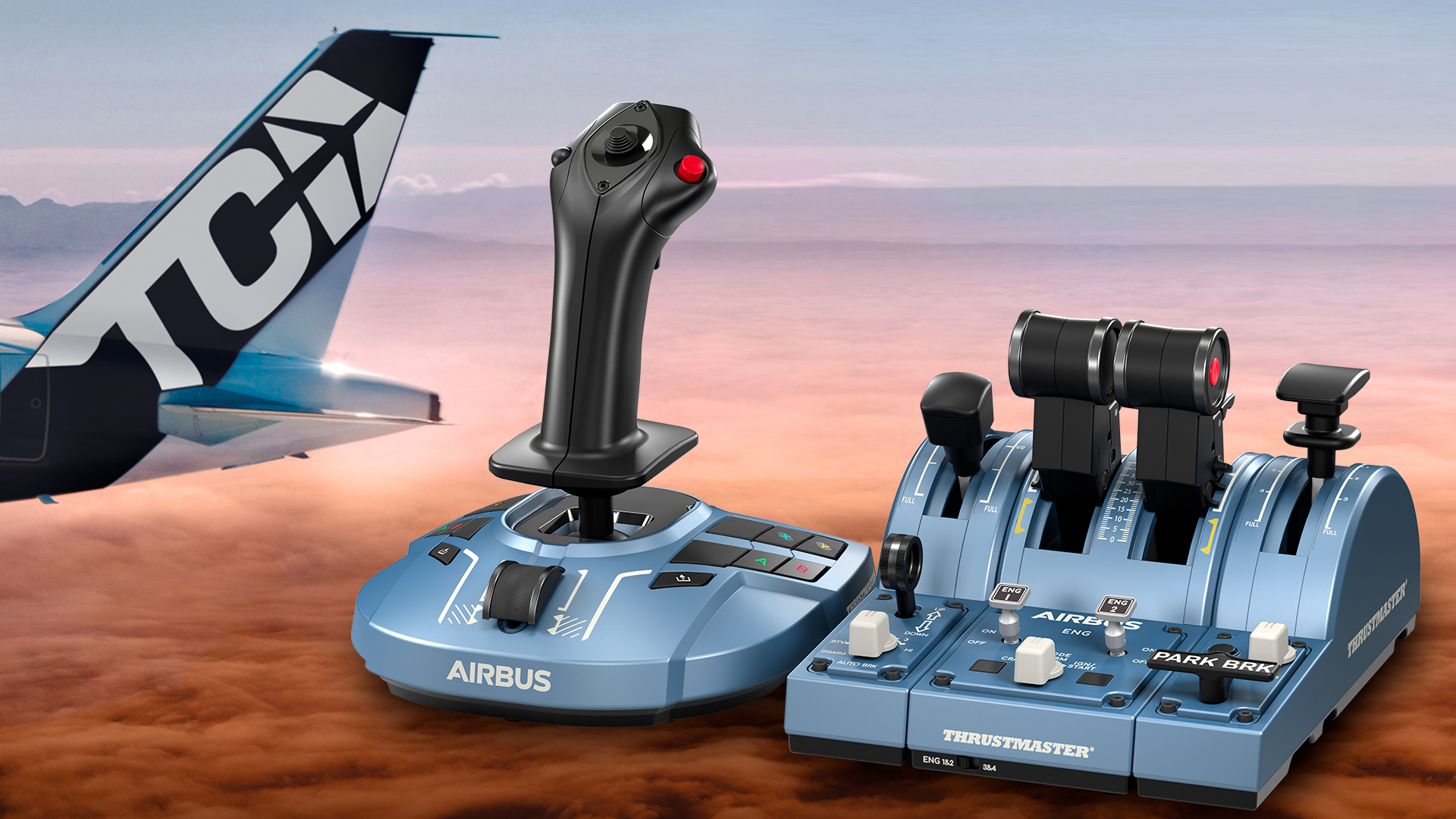
Which Types of Aircraft Is It Designed For?
The joystick is the ultimate all-rounder when it comes to versatility and responsiveness. You’ll find it in the following simulation environments:
- Military and fighter aircraft (F-16, Rafale, F/A-18…)
- Modern civil aircraft (increasingly popular thanks to their space-saving design)
- Helicopters
- Spaceships (Star Citizen, Elite Dangerous)
- Aerobatic aircraft (Extra Aircraft and Pitts Special)
The Key Advantages of a Joystick
- Speed and agility: Perfect for sharp manoeuvres, aerobatic flying and dogfighting.
- Built-in yaw axis: Many joysticks feature a twist function (twist axis or Z-axis), allowing you to control the rudder by rotating the stick. This is ideal for beginners. For an even more realistic experience, dedicated rudder pedals are the preferred option.
- Space-saving design: More compact, a joystick can be easily set up on your desk and put away in seconds.
- Versatility: Suitable for virtually every type of aircraft and flight simulation environment.
How Do You Choose?
Here’s a simple breakdown of the main differences:
Realism comes first: This is the best place to start when making your decision. If you spend 90% of your time in the cockpit of a Cessna 172 or a Boeing 777, using a yoke will take your immersion to the next level.
Handling and flying sensations:
- The Yoke: It can be operated with both hands, encouraging smooth, stable and precise handling thanks to its longer range of movement. However, it can also be used with one hand during critical phases of flight, such as landing, leaving your other hand free to operate the throttle.
- The Joystick: Operated with one hand (usually the right), it allows for instant reactions and extremely quick corrections.
Handling and muscle memory:
The yoke can be operated with both hands. It encourages a stable posture, wider movements and smooth handling, just like flying an airliner. A joystick, on the other hand, is operated with one hand (often paired with a separate throttle unit) and relies on quick reflexes and precise movements, making it ideal for combat missions and dynamic visual flying.
Rudder control (yaw axis):
The TCA Sky Yoke can handle the yaw axis (the aircraft’s horizontal rotation) directly through its integrated triggers. However, if you’re looking to take realism even further, you can pair your TCA SKY YOKE with dedicated foot-operated rudder pedals such as the TFRP.
Many joysticks, on the other hand, feature a built-in twist function, allowing you to control the rudder directly with your wrist.
Desk space and footprint:
The yoke is larger and requires a dedicated space on your desk. It is generally designed to be securely mounted to the edge of your desk or table. A joystick is much more compact and lightweight, making it easy to store between flight sessions.
The Pilot’s Verdict: Which Type of Pilot Are You?
The Thrustmaster recommendation: There is no single best choice. The right controller is simply the one that best matches the way you like to fly.
- Option A: If you enjoy flying general aviation aircraft, Boeing airliners or business jets equipped with this type of flight control, a yoke is the natural extension of your cockpit. Experience the same movements, handling and sensations as with a real aircraft yoke, taking realism to the next level with the right choice of equipment. Are you a true aviation purist looking for the most authentic experience possible? Then the yoke is the way to go!
- Option B: Do you like to mix things up and value versatility and responsiveness above all else? Do you switch from an Airbus A320 to a fighter jet in DCS World, before heading off into space? Its versatility and compact design make it easy to switch between different simulation environments, from military aircraft to modern civil aviation, helicopters and even spaceships. If variety, versatility and responsiveness are what you’re after, a joystick is the way to go!
The choice is yours! Set up your ideal cockpit and get ready for takeoff! And don’t forget to explore our wide range of flight simulation accessories to take your setup even further.